
Book anything, anywhere, instantly
One booking system for every amenity (golf, tennis, dining, spa, courts, rooms, instructors), with real-time availability, no double bookings, and member details built in.
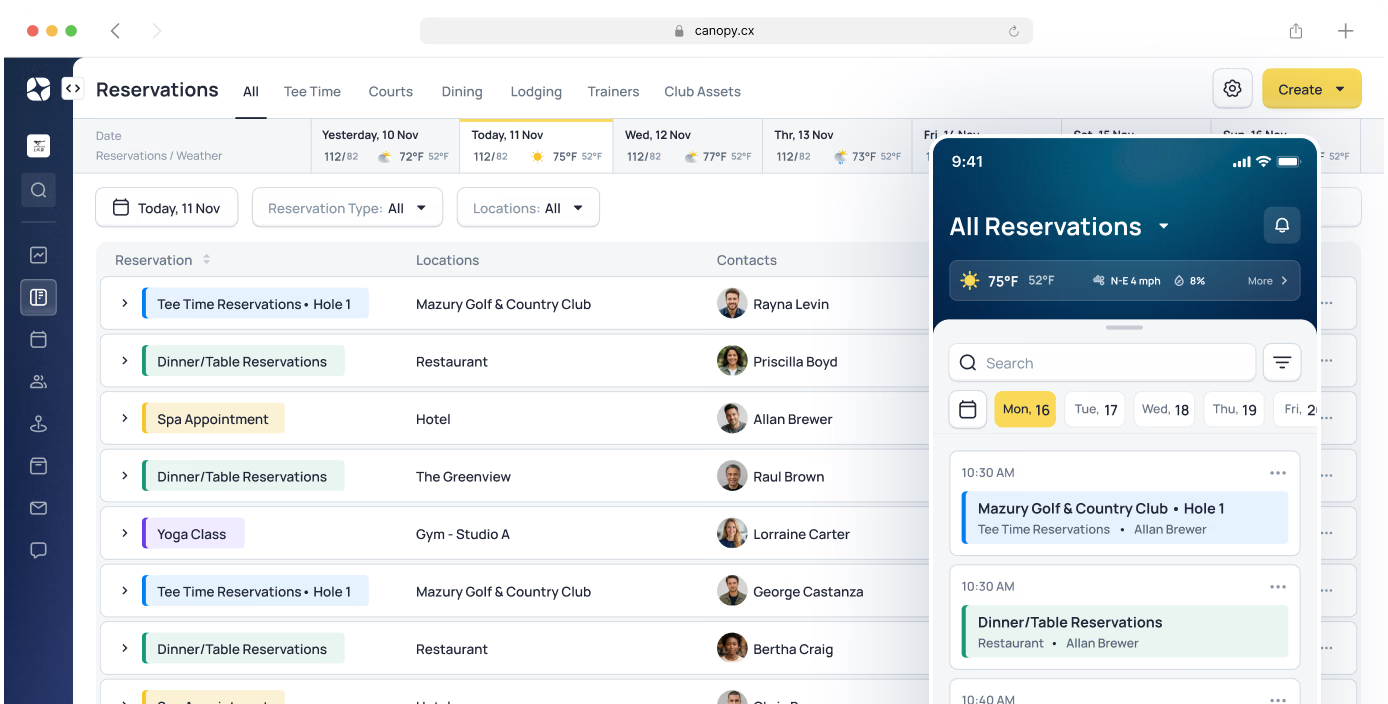
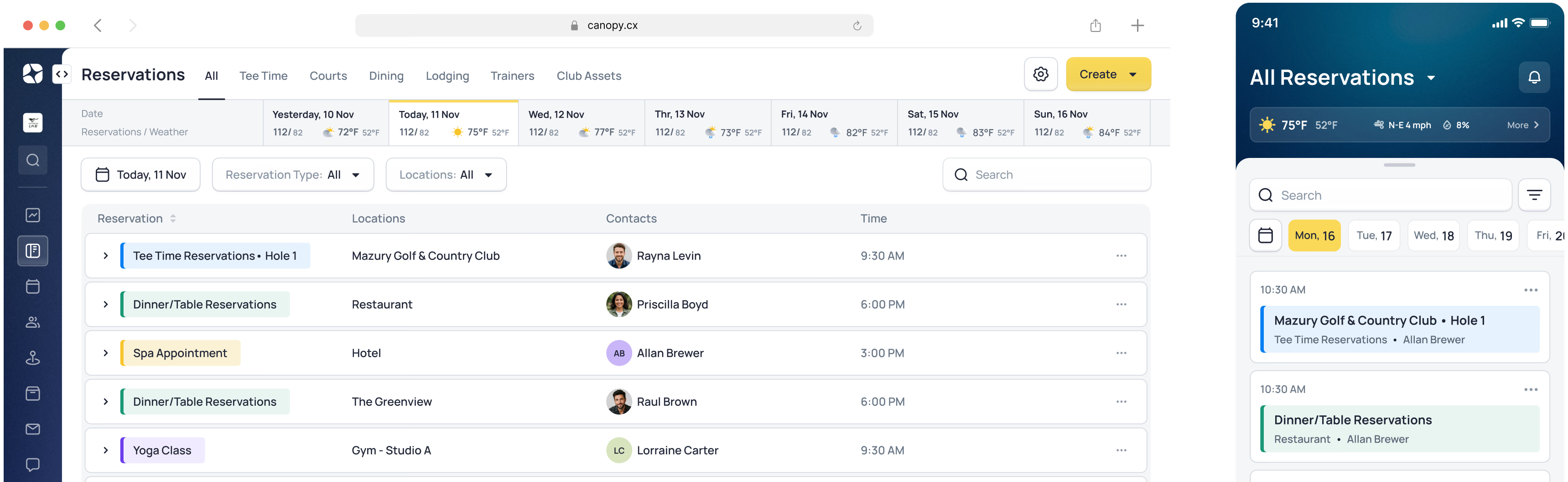

Every amenity, one simple system
A club runs a lot of bookable things: multiple courses, courts, dining rooms, the spa, instructors. When each one lives in its own system, staff check three calendars to avoid a conflict, and members wait while they do. Canopy puts every bookable amenity in one system that works the same way for all of them - real-time availability across the club, member details pulled from the profile.
When reservation systems are disconnected, double bookings happen and members wait. Canopy ends that: real-time availability across your entire club, and member details that flow from profiles automatically.
The Result: Members book what they want, when they want - and it's right the first time.
One system for every bookable resource
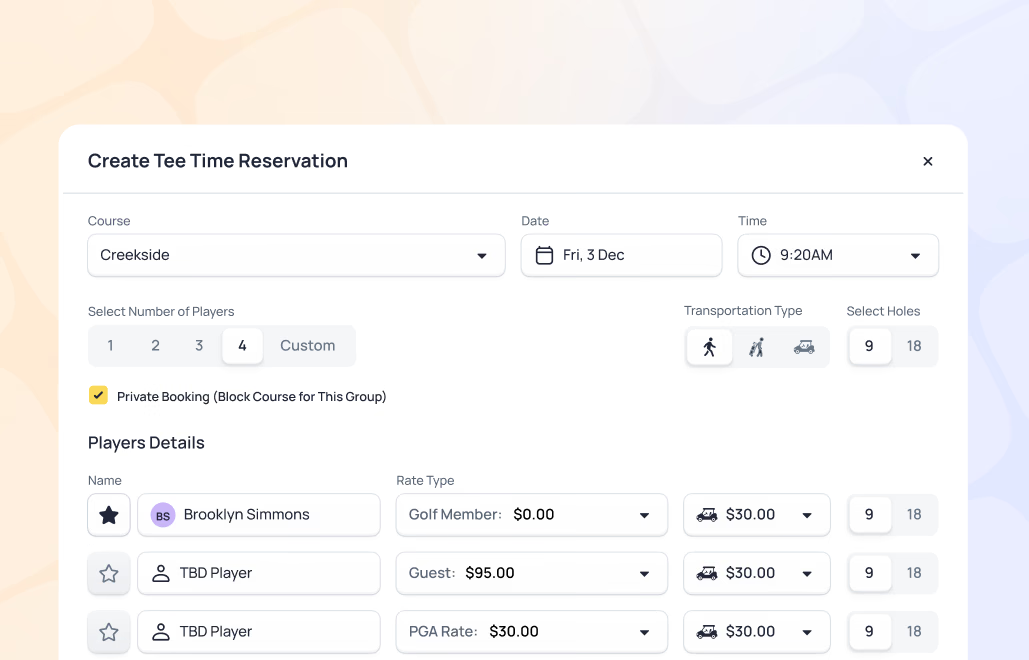
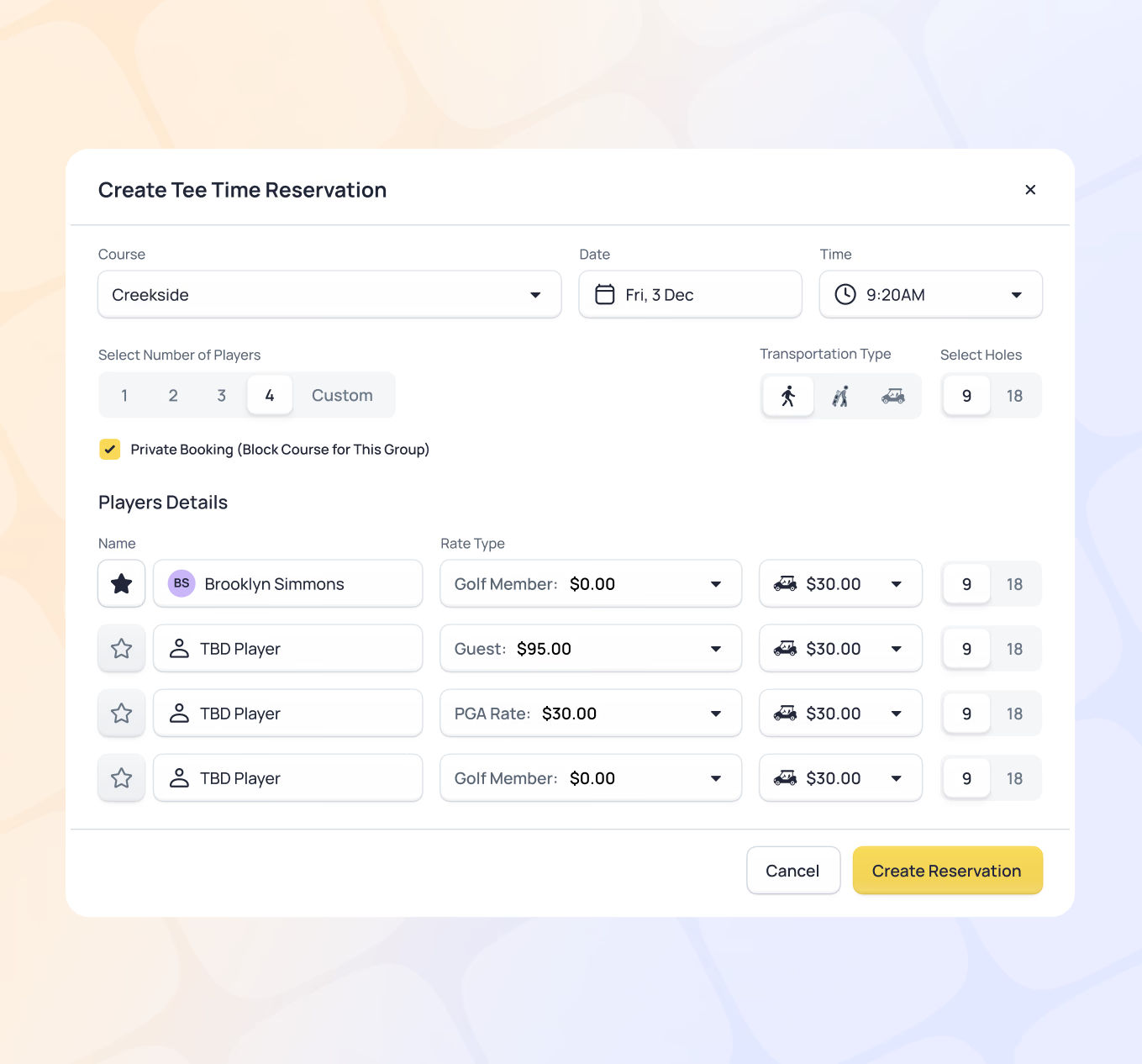
Speed and simplicity aren’t at odds with rich information. Canopy booking workflows are designed to surface everything staff needs - member details, availability, rates, and notes - while completing a reservation in just a few clicks. Whether staff is booking a tee time, a court, or a dining table, the process is the same: fast, clear, and consistent across every amenity.
- Real-time availability updates across all devices
- Rich booking view shows member details, rates, and availability together
- Consistent workflow across every amenity type
- Automatic double-booking protection
- Cross-amenity visibility (see a member's full day at a glance)
- Capacity management with overbooking controls
- Block booking for events and tournaments
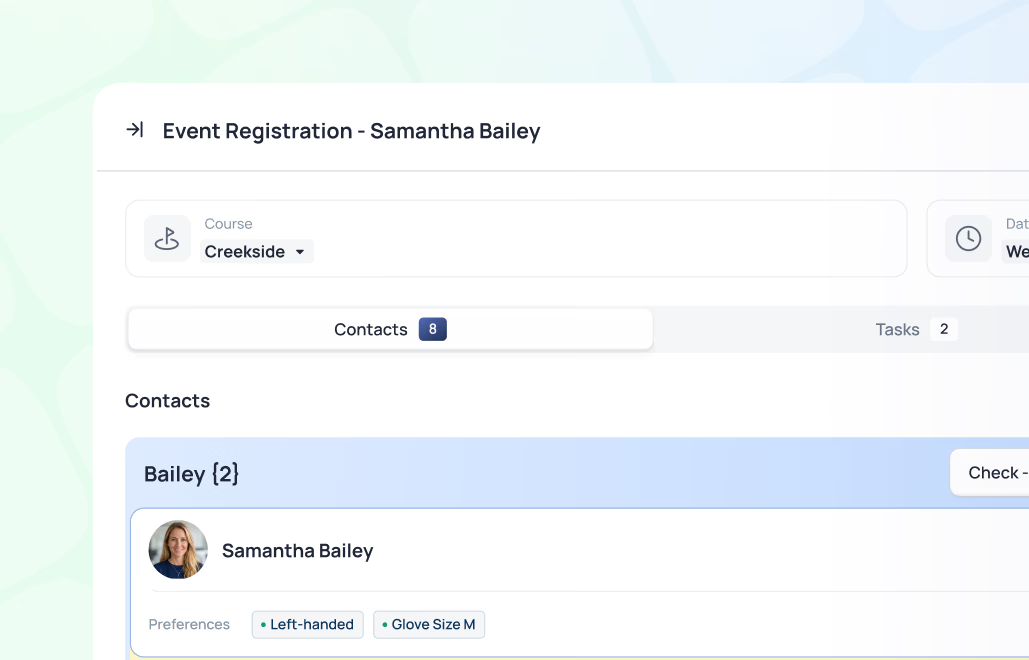
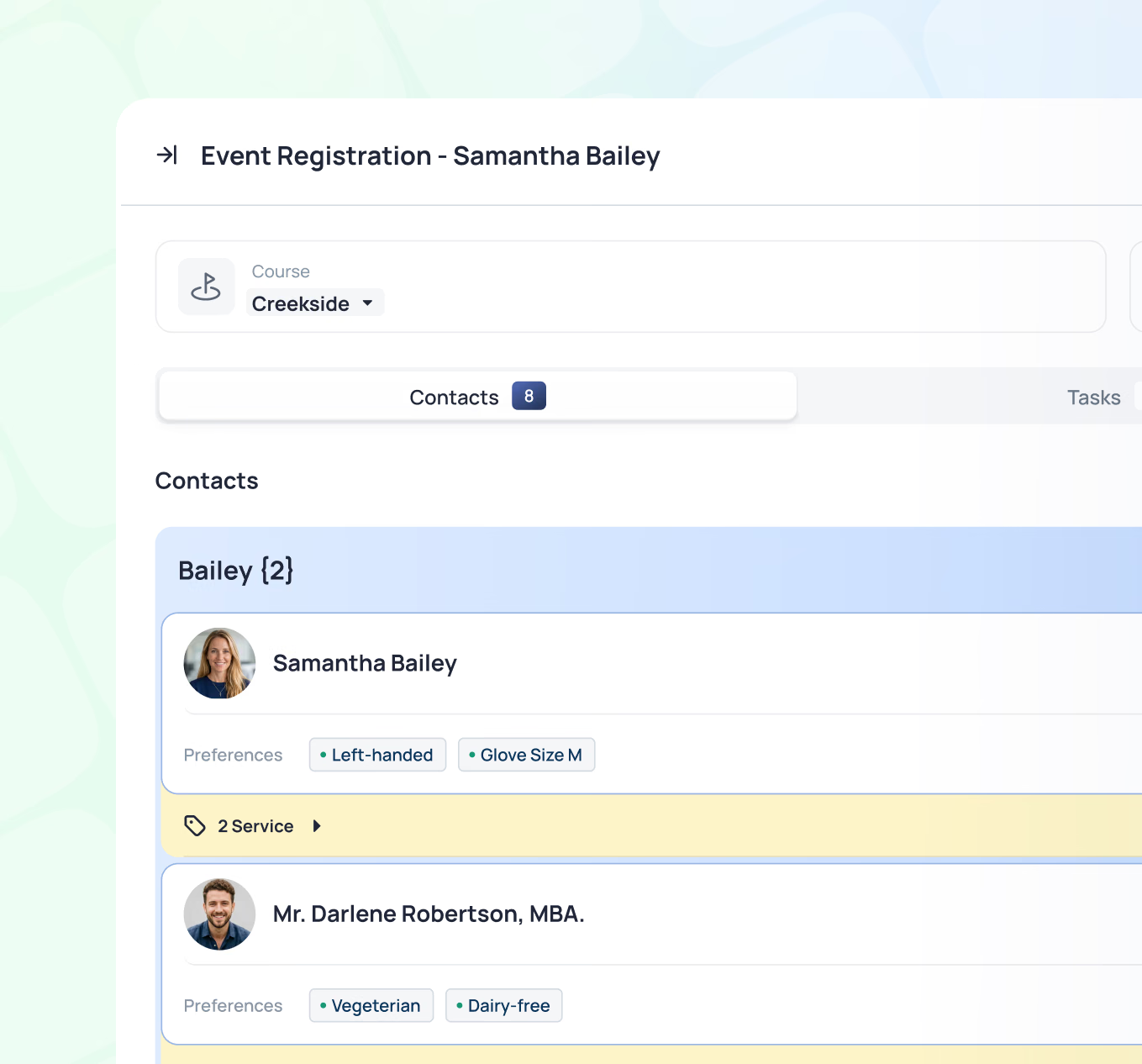
Every booking workflow includes a mini profile - a live view of the member or guest’s preferences that appears right alongside the reservation. Preferred caddie, equipment choices, table locations, dietary notes, and more. No searching. No asking. The right context is right there.
- Member mini profiles surface alongside every booking workflow
- Unlimited club-created or custom preference fields
- Preferred caddie, equipment, and service notes easy to access
- Dietary restrictions and allergy alerts visible at dining reservations
- Member-specific rates apply automatically at booking
- Staff notes, flags, and follow-ups attached directly to reservations
- Notes and flags visible across departments
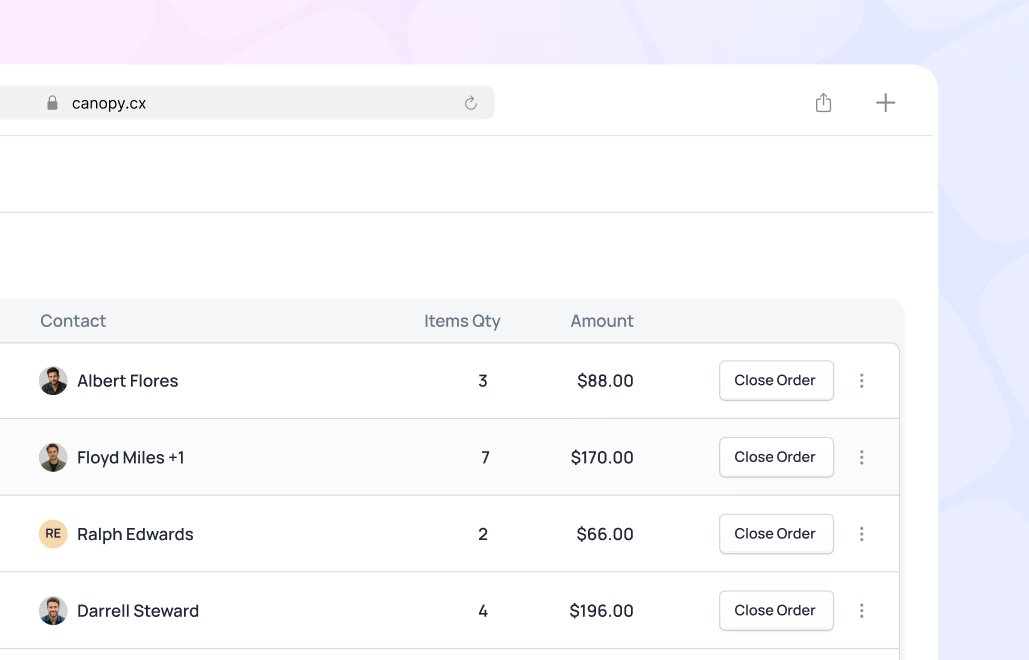
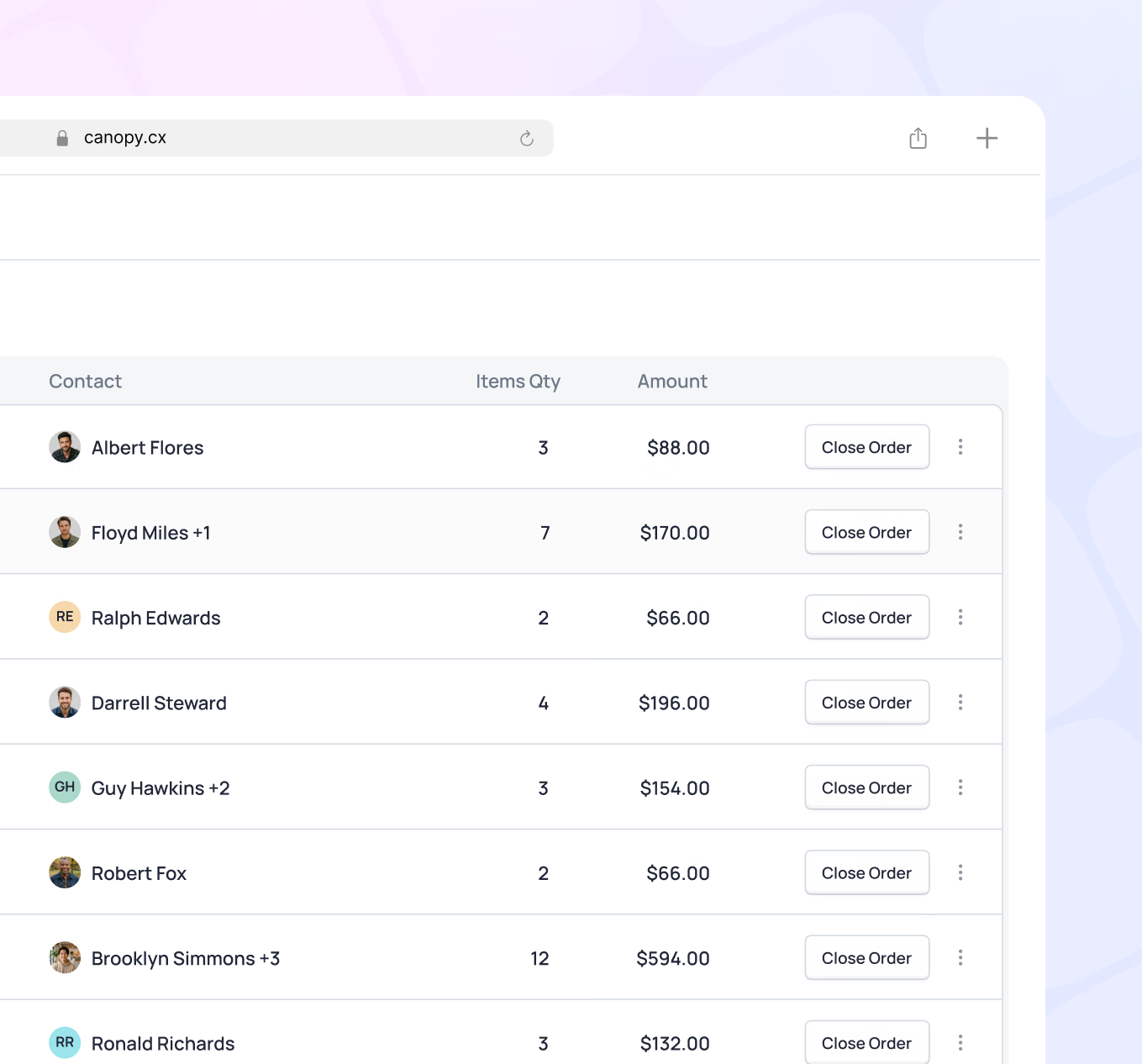
Orders are created in the background as reservations are booked - rates applied, member accounts linked, details ready. Staff closes out individual reservations as they wrap up or handles an entire day’s activity in one final pass. A few clicks. No manual entry. No reconciliation headaches.
- Orders created automatically when reservations are booked
- Member-specific rates applied at time of booking
- Close individual reservations or batch-close a full day's activity
- Post charges directly to member accounts or process other payment forms
- Reservation details reviewed and confirmed before closeout
- Clean posting to billing with no duplicate entry
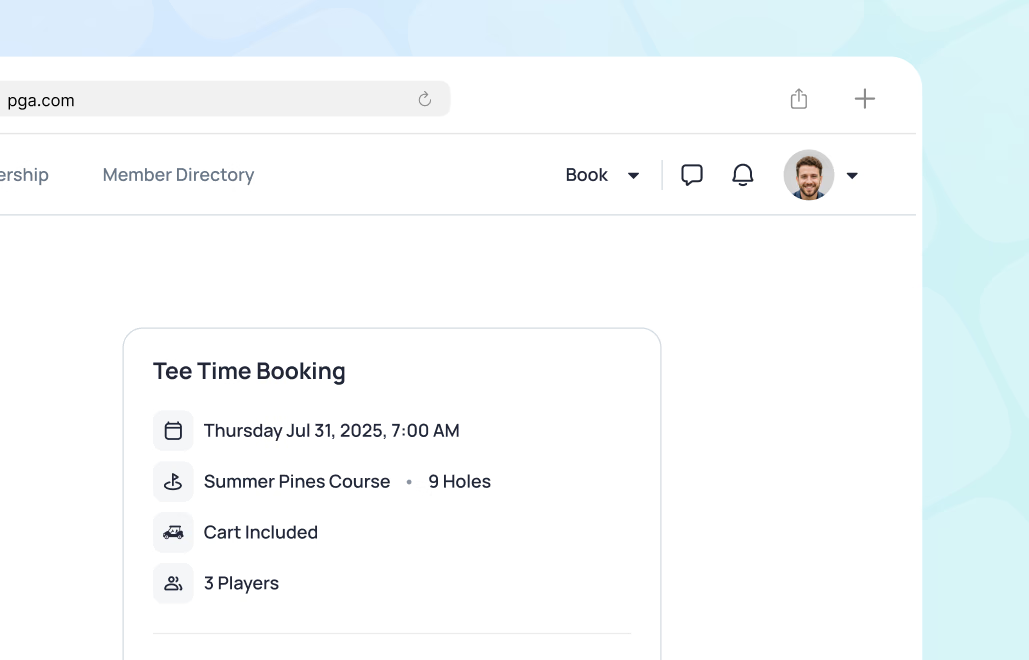
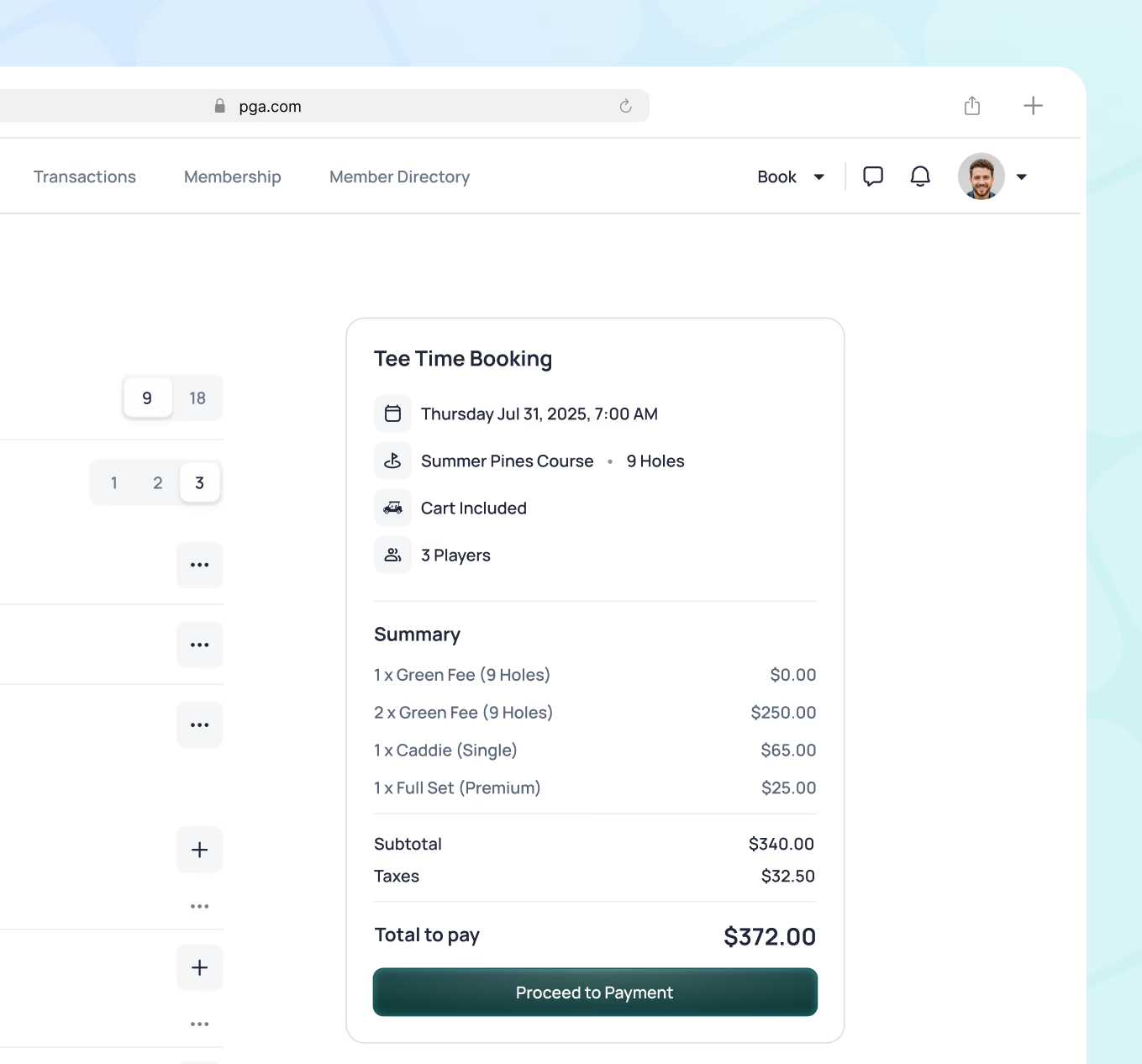
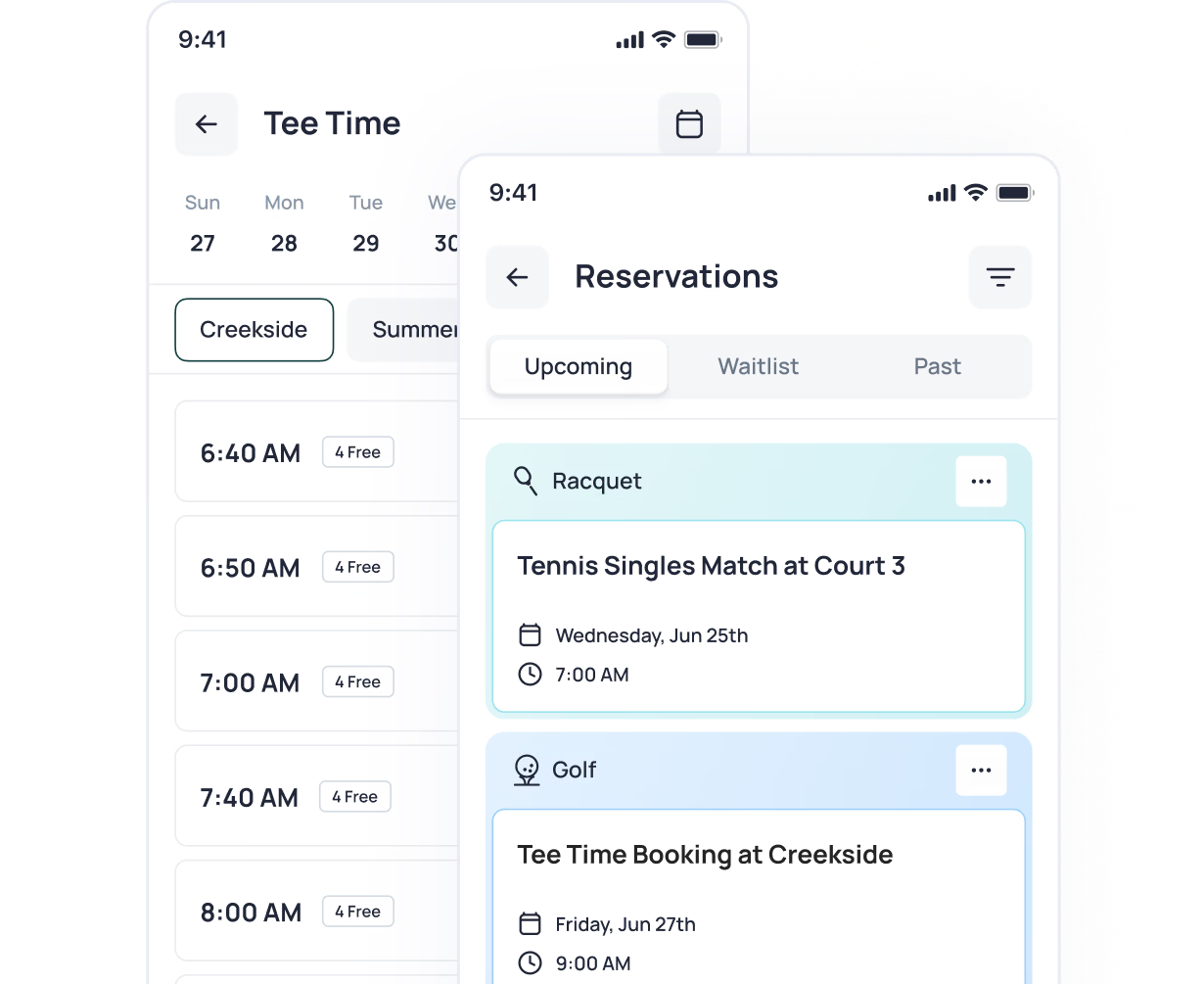
Members book, modify, and cancel reservations from the mobile app or member portal - 24/7 access with instant confirmations.
- Native mobile apps for iOS and Android
- Member portal for desktop booking
- Instant confirmation
- Modify or cancel reservations with automated notifications
- Book for family members and guests
- View upcoming reservations and history
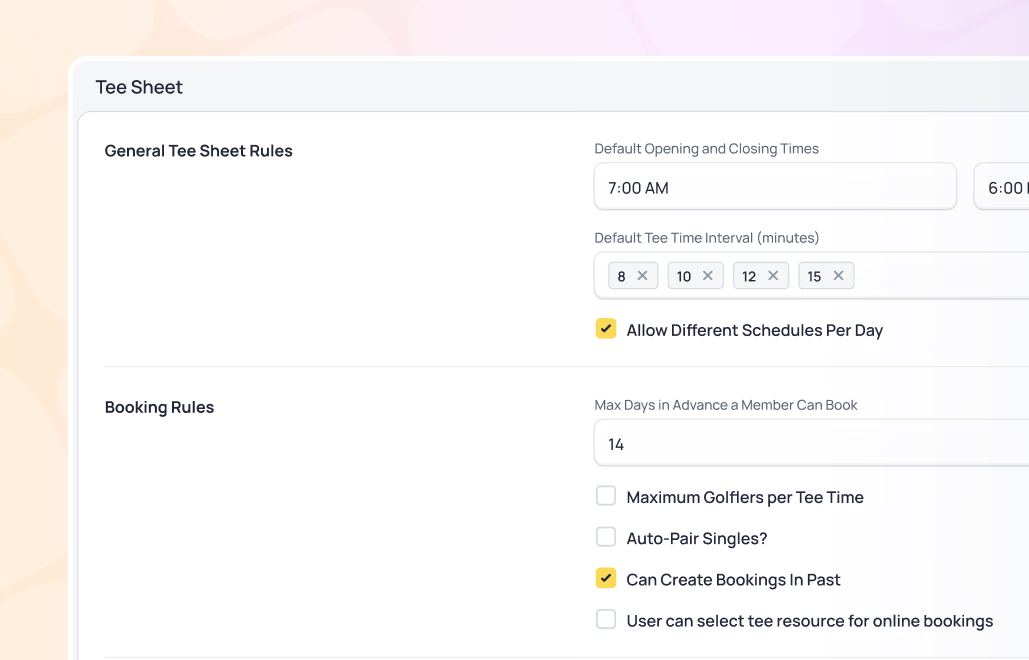
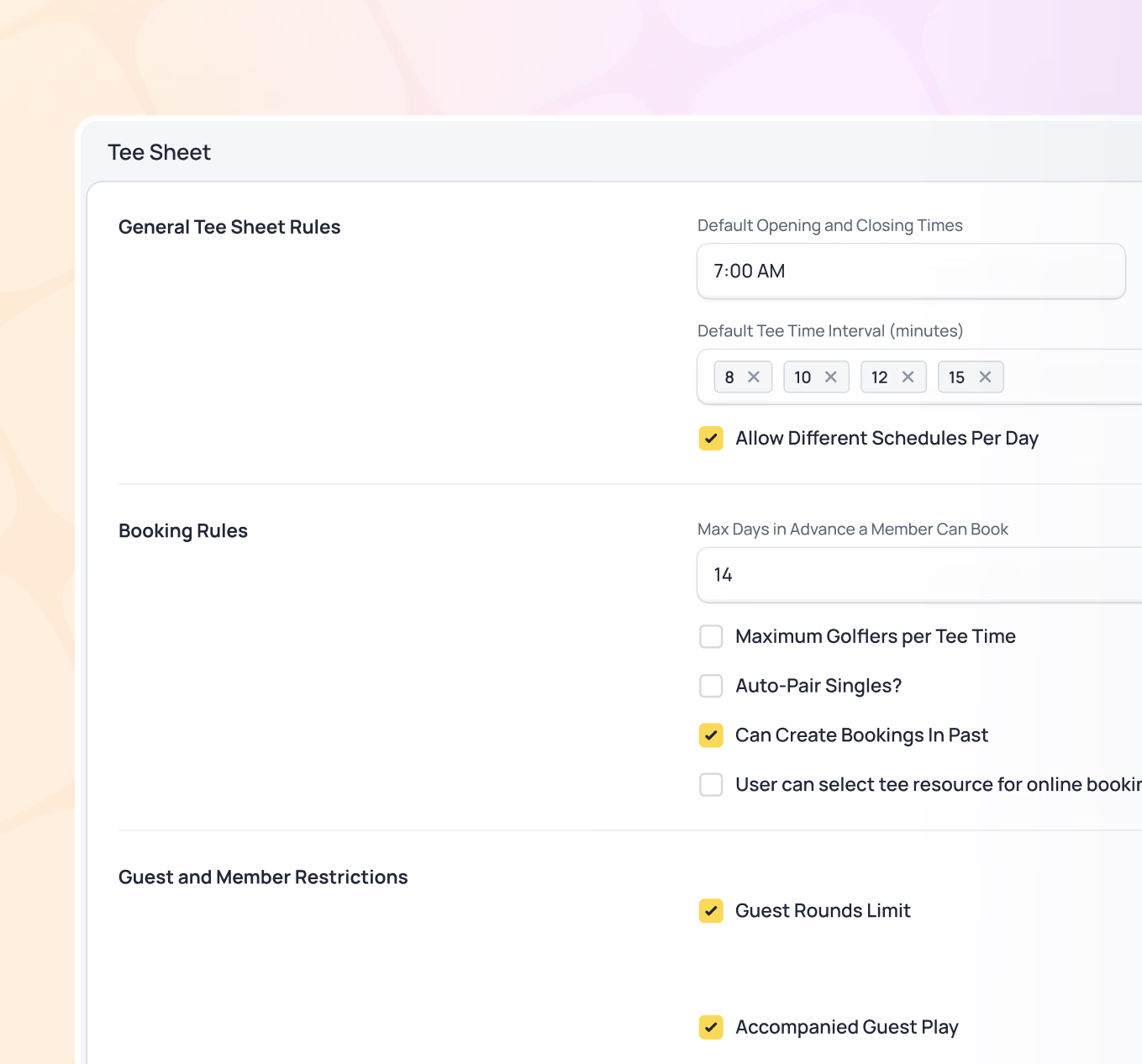
A flexible rules engine that automates booking windows, member priorities, guest policies, and access by membership type.
- Booking windows by membership type and amenity
- Guest booking limits and policies
- Maximum advance booking days
- Cancellation policies with automated enforcement
- Minimum and maximum party size controls
- No-show tracking and policy management
- Custom notifications for staff and members
Data visibility is configured based on role - so every team member sees what they need and nothing they shouldn't. From GM-level visibility across the entire club to department-specific views for F&B, golf, or membership, access is controlled and purposeful. The right information reaches the right people, without requiring IT support to pull a report.
- Role-based data access controlled by permissions
- Department-specific views for F&B, golf, membership, and more
- GM and leadership access to club-wide performance data
- Staff-level access to relevant operational information
- Self-service reporting without IT involvement
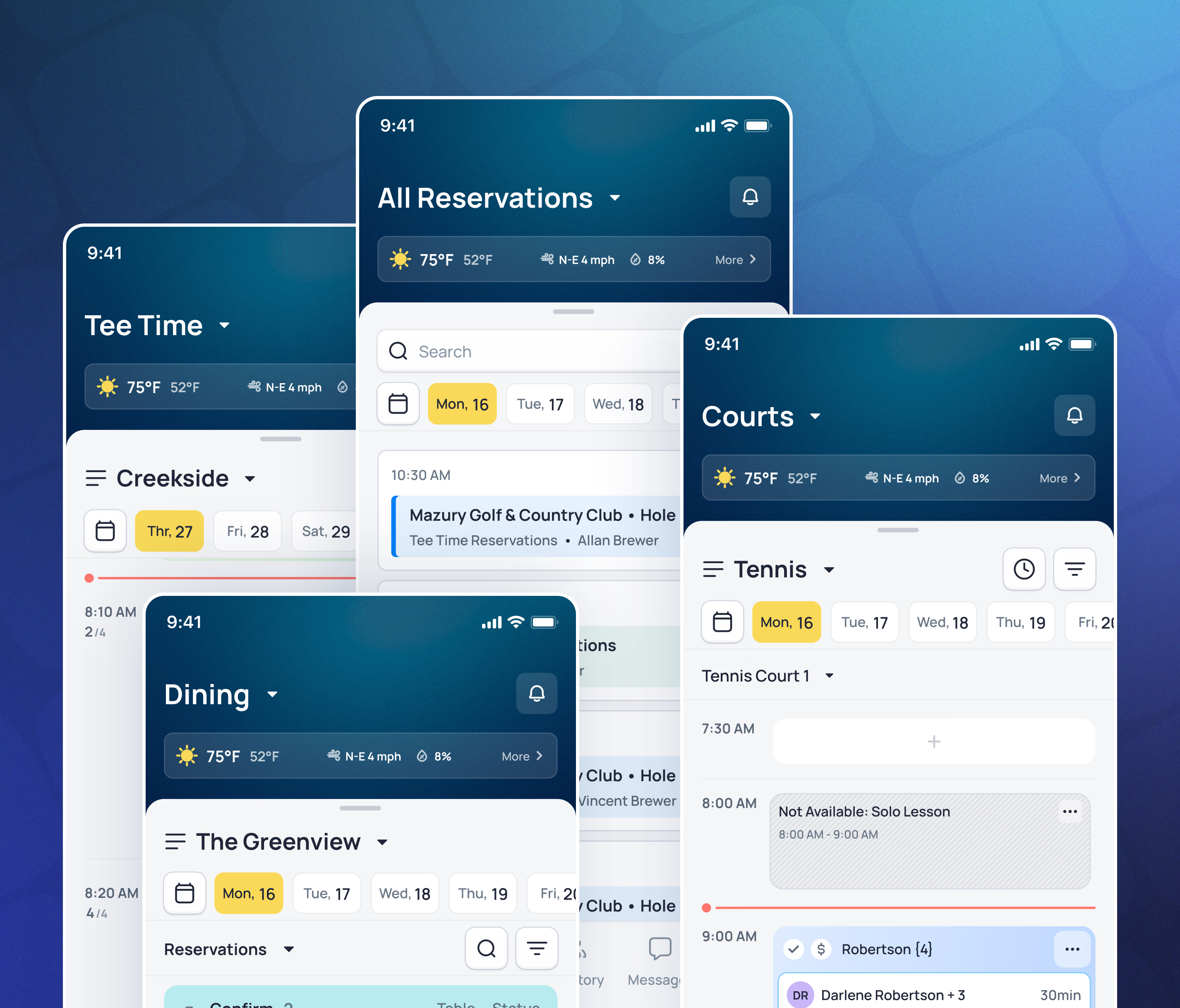
All Amenities in One System
Every user in the system has a dashboard configured for their role. Pre-built views for GMs, F&B directors, golf professionals, membership directors, and department staff give each person a focused, relevant starting point - with the ability to customize further based on their priorities. Dashboards are available on desktop and mobile.
- Tee times for multiple courses and formats
- Court reservations (tennis, pickleball, platform tennis, racquetball)
- Dining reservations for all venues
- Spa and wellness appointments
- Instructor and lesson bookings
- Event space and meeting room reservations
- Guest room bookings
- Waitlist management for full time slots

Golf Tee Sheet
Manage single, group, and shotgun tee times across multiple courses and formats. Block times for tournaments, lessons, and maintenance. Simulator bays and instruction bookable alongside course tee times. Mobile view for staff day-of operations.
Golf professional?
See how Canopy handles your full tee sheet operation.
Racquet Courts
Reserve courts across tennis, pickleball, platform tennis, and racquetball. Manage lessons, clinics, ladders, and round robins from the same system. Court assignments, instructor availability, and program scheduling all in one place.
Racquet professional?
See how Canopy manages courts, clinics, and more.
Club & Private Events
Create and publish club events - fitness classes, clinics, dinners, brunches, and more - so members and guests can easily browse and book from the member app or portal.
Private events and banquets are managed in the same system, giving your team a single place to coordinate both member-facing programming and revenue-generating functions.
Want to see how event management works in depth?
How it works in the real world
Multi-Amenity Booking
The Thompson family wants to play golf Saturday morning then have lunch. Mrs. Thompson opens the mobile app, books a 10:30am tee time for two. Her husband’s cart preference and her walking preference are both on file - the starter sees these details in the booking. She then adds a 12:30pm dining reservation.
Both confirmations arrive on her phone. When they arrive Saturday, the starter sees both reservations and their notes. At lunch, the host sees the dining reservation with the earlier tee time noted. Both reservations are ready to close out with charges posting directly to the Thompson account.
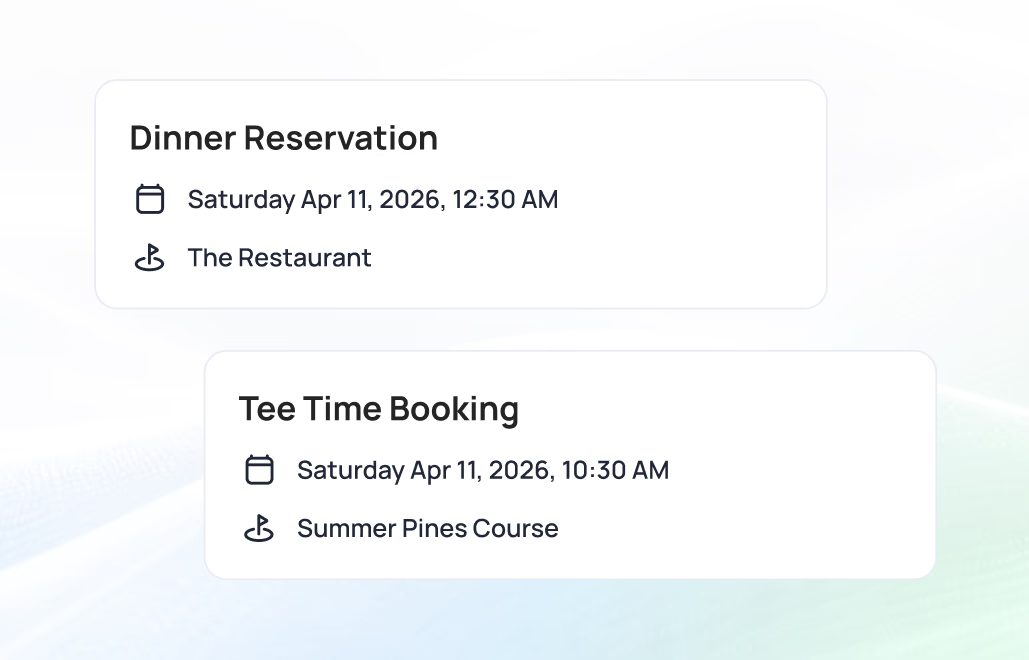
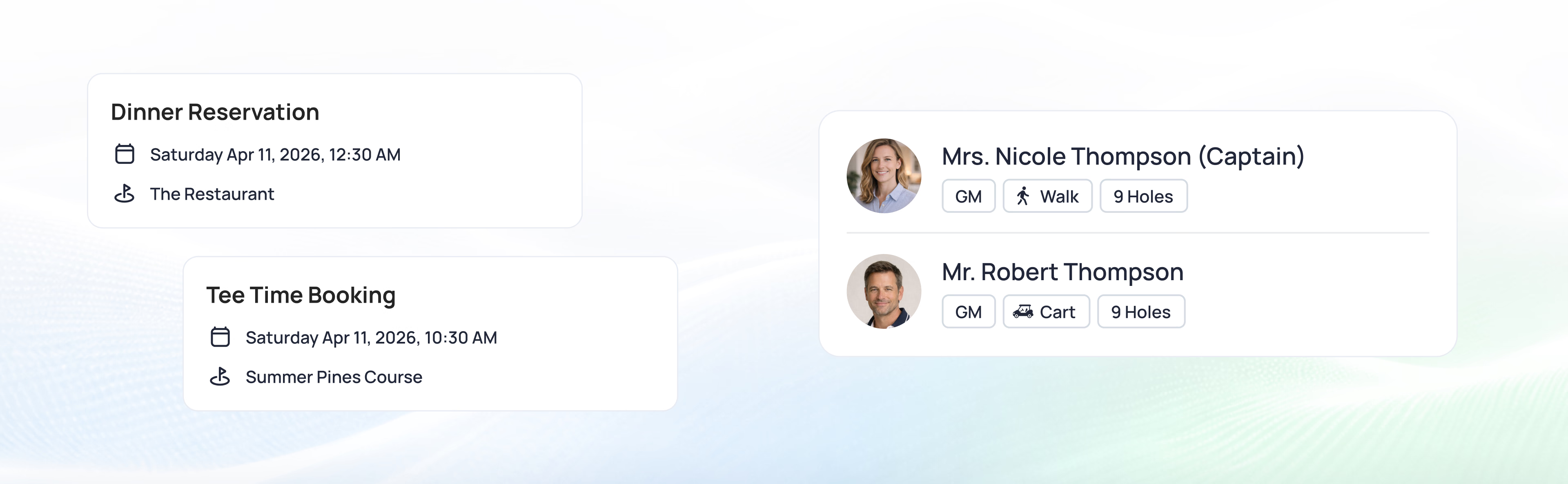
Result: Her whole Saturday - golf and lunch - booked from the couch, and ready for her at every stop.
Dining Reservation with Preferences
Friday evening, the Chen family books dinner for 7pm through the portal - and notes it’s an anniversary, with their usual window table.
The host sees it Friday at 6:45: table assigned, occasion flagged. The table’s set the way they like it, a small touch waiting. The F&B manager closes the check at end of service in one tap.
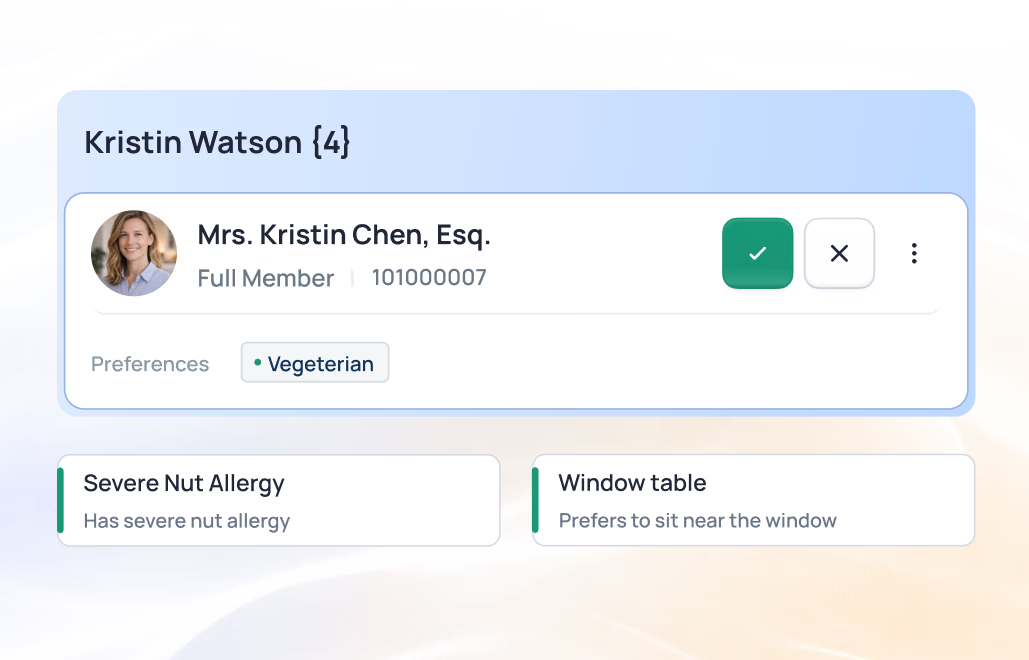
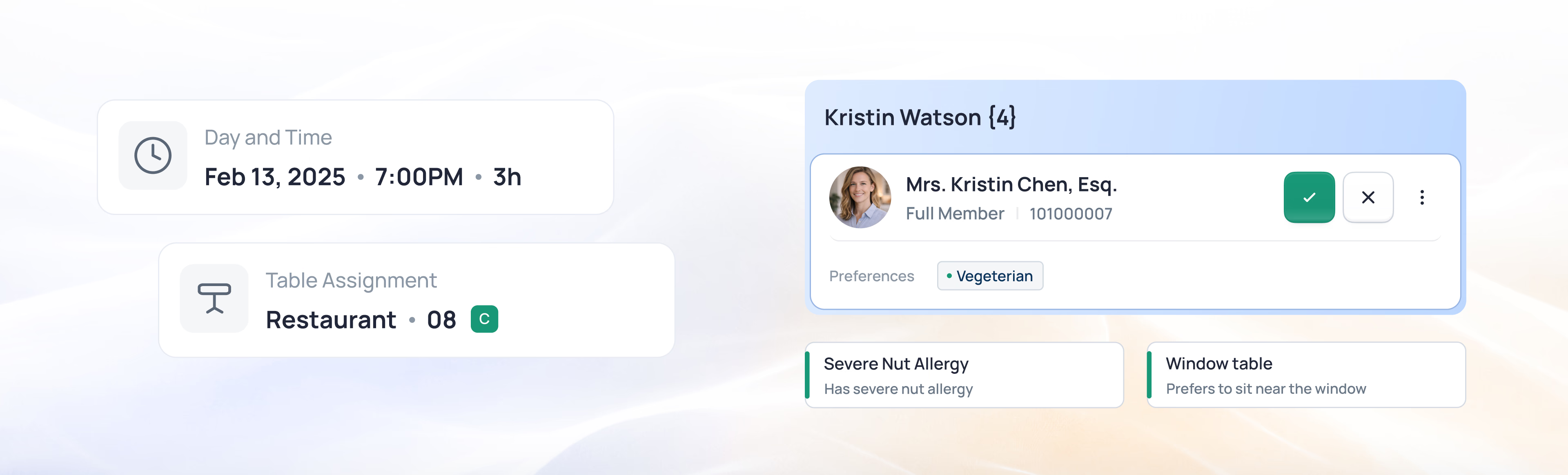
Result: The table they wanted, the night they meant it to be - and the check closed before they reached for a card.
Value for everyone at your club
For General Managers
One unified reservations system means complete visibility into everything happening at your club - every course, court, dining venue, event, and facility - without piecing together reports from disconnected platforms. That visibility brings confidence: you can see that the club is being fully utilized, that staff are coordinating activities efficiently, and that the experience members and guests receive is consistent throughout the day.
Key Benefits: Every course, court, and table in one view, no double-bookings to untangle, the day's activity at a glance
For Golf/Tennis/Racquet Professionals
Manage tee sheets, court schedules, and lesson bookings from one system. Member and guest details, preferences, and notes are right there in the booking - no separate lookup.
Key Benefits: tee sheet, courts, and lessons in one place, fuller days, less time on the schedule
For All Staff
Book any amenity using the same simple process. Member details and special requests are right there in the booking workflow. Handle reservations, modifications, and closeouts without switching systems or manual coordination. Spend less time managing logistics, more time serving members and guests.
Key Benefits: One system to learn, a booking in a few clicks, a day closed out in one pass
For Members & Guests
Book anything from one app (golf, tennis, dining, spa, classes, events), 24/7, with real-time availability and instant confirmations. Notes and details on file mean staff is already prepared when you arrive. Modify or cancel easily.
Key Benefits: Book anything from the app, instant confirmation, staff ready when you arrive
Everything your club needs to coordinate every booking
Across golf, dining, and events - one unified system.

Powers your entire platform
Reservation data flows through every capability
From request to booked
1
Reservation Made
Member books via mobile app, staff books at the desk, or the front desk handles it over the phone. Availability confirmed in real-time, double-booking prevented, member-specific rates apply, instant confirmation sent. An order is created in the background, ready for closeout.
2
Leading Up to Arrival
Reminders sent based on amenity type. Staff sees upcoming reservations with member details, preferences, and any flagged tasks. Kitchen receives dining reservations with dietary notes. Instructors see lesson schedules with student information.

3
Day of Service
Member arrives. Staff has full context - preferences, linked reservations, tasks, and notes - without searching. Service delivered. Charges post to member account. Staff closes out individual reservations throughout the day or reviews and batch-closes at the end. Utilization data feeds into reporting.
Everything your club needs to run the full member journey
From first booking to final charge - all in sync.

Modern unified booking vs. disconnected systems
Legacy Approach
Golf reservations in one system, tennis in another, dining in a third. Staff checking multiple screens to avoid conflicts. Members calling to book each amenity separately. Manual waitlists. Double bookings despite best efforts. Member details stored in staff memory or scattered notes. Closeout requires manual entry and reconciliation across systems.

Canopy Approach
Every amenity in one unified system. Real-time availability everywhere. Booking workflows designed to be fast and rich - complete in a few clicks with everything staff needs already on screen. Member details, preferences, and tasks attached to every reservation. Double bookings prevented by design. Closeout takes moments, not hours.
The Difference: one place to book the whole club, and one pass to close out the day - instead of three.

See Unified Reservations in action
See how booking the whole club from one system speeds up the desk and gives members one place for everything.